
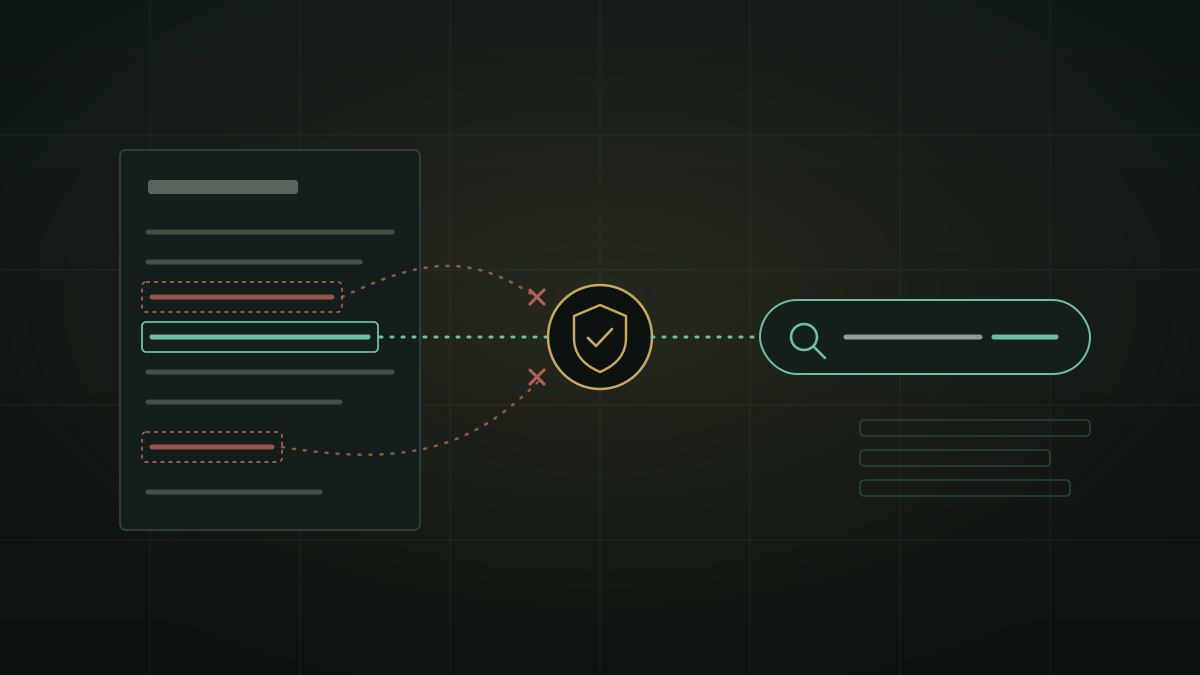
You attach a supplier's quotation and ask, "is this price fair?" To answer, the assistant has to search the web, and a search needs words. Not "this product", but the actual model number from the quotation. The same document also holds your company's name, the supplier's name, the delivery address and the price you were offered. Which of those words go into the search is a privacy decision, and most people never see it being made.
What actually leaves
When an AI assistant "searches the web", three things happen. The model writes a short search query. A search provider receives that query and returns results. The assistant opens some of the result pages and reads them. Your file stays where it is, but the query is a small piece of text that travels to a third party, and it is written by a model that has just read your whole document.
That is why "is my document uploaded?" is the wrong question. The useful question is: which words from my document can end up in the query? A query such as price of [inverter model] 10 kW is harmless. A query such as [your customer's name] solar quote Jaipur warehouse tells a search provider who you are selling to, what and where. Nothing was uploaded, and something still leaked.
Few assistants publish what their search step sends. We looked, and found plenty of advice about not pasting confidential files into chatbots, but almost nothing that says which words go into the search when the assistant reads your file and then goes online.
Why an assistant should use your document's words at all
The tempting answer is "never put anything from the document into a search". It fails the user. A search for is this quotation fair returns generic advice. A search for the exact panel model, the inverter maker and the government scheme named in the document returns the prices and specifications you actually need. The point of reading the document first is to search for the right things.
So the job is not to block every word. It is to pass the few words that make the search useful, and stop the ones that identify people and organisations. That is a judgement about the document, not a list of banned words.
The rules ZenithAI uses
In a chat with an attached document, once you have allowed the internet for that chat, ZenithAI can add up to three names from the document to the search. Before choosing them, the AI model decides what kind of document it is reading:
| Kind of document | Examples | What can go into the search |
|---|---|---|
| Public material | Brochure, datasheet, price list, manual, law, government scheme leaflet | The products, makers, brands, schemes and places it is about |
| Private or addressed | Quotation to a named buyer, invoice, contract, NDA, internal paper | Only products and their makers. Never the buyer, the other side of the agreement, delivery or signing places, project names or file names |
| About a person | Offer letter, payslip, medical report, CV, identity document | Nothing from the document |
If the model is unsure, the document is treated as private. On top of that, prices, quantities, ID numbers and contact details are dropped by their shape, and a second, separate check looks only at the chosen names and removes any that are names of people. For these document names, the model does not write the search itself: it lists candidate names, and the system decides which are allowed through.
Why split public from private? Because one strict rule for everything hurt the documents that have nothing to hide. A government scheme leaflet is public by design; refusing to search for the scheme it describes helps nobody. A quotation addressed to your company is a different thing, even when it looks like a brochure.
Where it can still go wrong
These rules are applied by an AI model reading the document, so they are a strong default, not a guarantee. In our own tests on several dozen sample documents, the other party's name reached the search for close to a third of private documents before these rules, and for about one in thirty after them. The cases we know about:
- A seller that is also the brand. If the company issuing a quotation is also the maker of the product, its name can appear in the search, because it is a maker.
- A document that pretends to be public. A private medical or HR document that calls itself public can lend a product or medicine name, though not identifiers.
- A person's name the check misses. The check that removes people's names catches most names, not every name.
- The main query itself. Separately from these names, the search words are written by the model and may include words from your documents. In workspace chats, which hold many documents, these document rules do not apply at all.
The practical rule is simple: if a document must not be hinted at on the internet, do not turn the internet on for that chat. Everything else on this page is about making the searches you do allow as safe as they can reasonably be.
The controls around it
- Consent first. A chat with private material goes online only after you allow the internet for that chat, or type
#searchin one message. Your administrator must also allow internet access for you. - Logged on your server. Every search and every page read from a document or workspace chat is logged with the user, the chat and the workspace, so you can review what went out without asking a vendor.
- An off switch for everyone. Your administrator can stop document names being used in searches for the whole organisation at once, or allow it only for named accounts. It takes effect immediately.
- A visible result. Under every answer that searched the web, a short line says whether the pages were actually used. We explain it in how to tell whether an AI answer used the web.
For the bigger picture of what happens to documents in AI tools, see where your documents go when you ask AI, and for why the outbound line matters most, the private-document egress boundary.
Five questions to ask any AI tool that searches about your files
- When the assistant searches the web about my file, can I see or review the words it sent?
- Does it treat a public brochure and a private quotation differently?
- Can names of people, customers or counterparties end up in a search, and what stops them?
- Does it search only after I allow it for this chat, or by default?
- Is every query logged somewhere my own team can read?
Availability
The document rules described here went live on our servers on 22 October 2026. They are not in installer 4.6.0 and come with the next installer. On a ZenithAI server they are on by default for everyone who is allowed the internet, and the administrator can switch them off.
Questions
Does an AI assistant send my document to a search engine?
Not the document itself, but words from it, inside the search query the assistant writes. The question to ask is which of its words end up in the search.
Can AI leak a client's name through a web search?
It can, if nothing stops it. ZenithAI keeps parties out of private documents, drops prices, IDs and contact details, and removes names of people with a second check. These lower the risk; they do not remove it, and every search is logged.
How do I stop AI from searching the web about my documents?
Leave the internet off for that chat. In ZenithAI, private chats search only after you allow it, and your administrator can turn off the use of document names in searches for everyone.
If you want to see this on your own documents, request a demonstration and bring a real quotation or brochure, or get in touch.